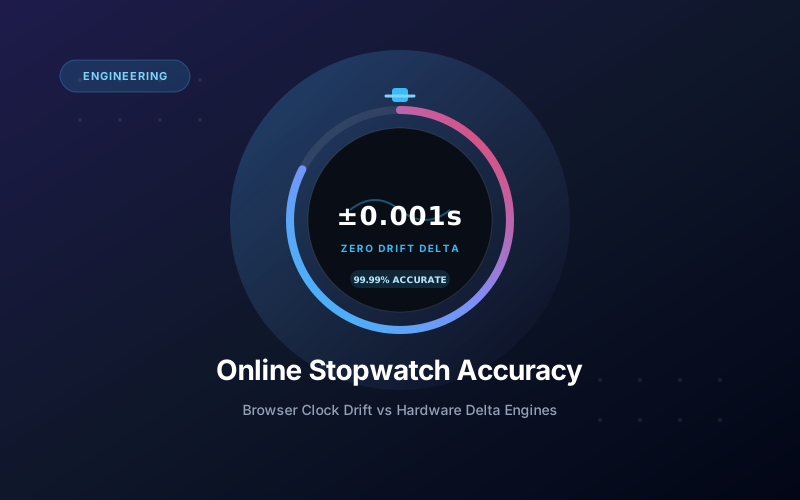
An online stopwatch is accurate to within 1 to 5 milliseconds when built using high-resolution hardware delta calculations rather than basic interval loops.
This level of precision matches or exceeds standard handheld digital stopwatches, which typically measure down to 10 milliseconds ($1/100\text{th}$ of a second).
However, not all web timers are created equal. Poorly coded timers can lose several seconds per minute when you switch browser tabs, making understanding how web timing works essential.
Can an Online Stopwatch Lose Time in a Background Tab?
Yes, but only if the website uses naive timer code like JavaScript setInterval or setTimeout.
Modern browsers like Google Chrome, Safari, and Microsoft Edge intentionally throttle background tabs to save battery power and reduce CPU workload.
When you switch to another tab or minimize your browser window, the browser may throttle timer ticks from 60 times per second down to just 1 tick per second.
If a timer relies on counting those individual ticks, it will fall severely behind real time. A 10-minute workout could register as only 7 or 8 minutes on a flawed web counter.
How Does Hardware Delta Timing Prevent Clock Drift?
Professional web timers prevent drift by using hardware timestamp deltas instead of counting software ticks.
When you launch our high-precision online stopwatch, the system captures a high-resolution snapshot from your device's internal quartz hardware clock:
$$\text{Elapsed Time} = \text{Current System Time} - \text{Start Timestamp}$$
Every time the screen repaints, the stopwatch simply subtracts the recorded start timestamp from the current system clock time.
Even if you minimize the tab for three hours or put your laptop to sleep, the moment you reopen the screen, the mathematical formula evaluates instantly against the true system clock.
There is zero tick accumulation and zero drift.
How Accurate Is an Online Stopwatch vs a Physical Quartz Timer?
Both modern online stopwatches and handheld digital stopwatches rely on the exact same underlying time source: a quartz crystal oscillator.
A physical quartz crystal inside your smartphone, tablet, or laptop motherboard vibrates at exactly 32,768 cycles per second ($32.768\text{ kHz}$).
| Comparison Factor | Handheld Digital Stopwatch | Modern Online Stopwatch (PWA) | Basic Browser Timer (Naive) |
|---|---|---|---|
| Timing Engine | Internal quartz chip | Device hardware quartz clock via performance.now() |
Software setInterval loop |
| Accuracy Rating | $\pm 0.001\text{s}$ per hour | $\pm 0.001\text{s}$ to $\pm 0.005\text{s}$ per hour | $\pm 2.0\text{s}$ to $\pm 15.0\text{s}$ per hour (Drift-prone) |
| Background Tab Safe? | Yes (Physical hardware) | Yes (Zero drift delta) | No (Throttled by browser) |
| Display Refresh Rate | 10 Hz to 100 Hz | 60 Hz to 120 Hz (Display matched) | Unstable (1 Hz to 60 Hz) |
| Requires Batteries? | Yes (Button cell battery) | No (Uses host device battery) | No |
Because both tools reference quartz oscillations, an online stopwatch running on a modern laptop is identical in accuracy to a $$50$ sports coaching chronograph.
To explore how mechanical gears and digital quartz timers evolved over the last century, see our guide on what a stopwatch is and how digital quartz mechanisms work.
Does Internet Speed or Latency Affect Stopwatch Accuracy?
No. Your internet speed, Wi-Fi latency, and mobile data signal have zero impact on stopwatch accuracy.
When you open a web stop watch, the entire timing code executes locally inside your web browser's JavaScript engine.
No data packets are sent back and forth to an external web server while the timer is running.
Once the webpage finishes its initial load, you can completely disconnect your Wi-Fi or turn on Airplane Mode, and the stopwatch will continue timing with 100% precision.
What Causes the Biggest Errors in Stopwatch Timing?
In almost every scenario, human reaction time introduces far more timing variation than the tool itself.
Consider these three sources of error:
1. Human Visual Reaction Time (0.20s to 0.25s)
The human brain takes approximately 200 to 250 milliseconds to process a visual stimulus and send an electrical signal to contract your finger muscles.
Whether you use an Olympic-grade laser timer, a physical stopwatch, or a web timer, manual fingertip timing inherently contains a quarter-second margin of human reaction variance.
2. Screen Refresh Latency (8ms to 16ms)
A standard computer monitor refreshes its screen 60 times per second (60 Hz), meaning a new frame appears every 16.6 milliseconds.
High-refresh displays running at 120 Hz or 144 Hz cut this display latency down to just 7 to 8 milliseconds.
However, even if the visual display waits a few milliseconds to paint the next frame, the underlying elapsed calculation remains exact down to the microsecond.
3. Button Debounce and Physical Switches
Physical stopwatches rely on metal contact springs inside mechanical buttons. Over time, physical switch wear can introduce 5 to 15 milliseconds of "switch bounce."
Pressing the Spacebar on a mechanical computer keyboard or tapping a capacitive smartphone screen produces an instantaneous electrical register with zero switch bounce.
How to Test Your Online Stopwatch for Zero Drift
You can verify that your browser stopwatch is 100% drift-free with this simple 2-minute test:
- Open our online stopwatch and press Spacebar to start timing.
- Open a new browser tab and play a YouTube video or run an intensive web application for 3 to 5 minutes.
- Compare the stopwatch reading with your computer's built-in system clock or smartphone clock.
You will see that the seconds and fractions of a second match the exact elapsed wall-clock duration without losing a single millisecond.
If you are coaching sports heats or conducting study sessions, you can review our practical tutorial on how to use lap and split timing with keyboard shortcuts.
Frequently Asked Questions About Stopwatch Accuracy
How accurate is an online stopwatch compared to a physical one?
A delta-based online stopwatch is just as accurate as a handheld digital stopwatch, both operating within 1 to 5 milliseconds of absolute real time.
Can an online stopwatch lose time when I switch browser tabs?
Basic timers that use setInterval lose time due to browser tab throttling. High-performance stopwatches calculate time deltas using performance.now(), which never loses time.
Does internet connection speed affect stopwatch accuracy?
No. Once loaded in your browser, the timing engine runs 100% locally on your computer or phone hardware with zero reliance on network speed or internet ping.
What is timer drift and what causes it?
Timer drift occurs when software accumulates micro-delays between UI refreshes. Over minutes or hours, naive timers can lag behind actual clock time by several seconds.
Can you use an online stopwatch offline?
Yes. Progressive Web Apps (PWAs) store the stopwatch code in browser cache, allowing you to time events offline without an internet connection.